|
SnowCrest Inc., P.O. Box 1379, Mt Shasta, CA 96067 (530) 926-6888 or (530) 245-4698
|

|
|
Netscape 6, 7 & Mozilla EmailThe settings in Netscape 6, 7 & Mozilla for Windows and Macintosh are almost identical. The ONLY difference is, when your in the preferences, the PC has a + and - symbol to indicate if a group is opened or not, while the Macintosh has a triangle pointing to the right or down.
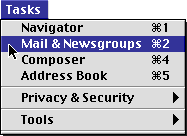
First, select "Mail & Newsgroups" from the "Tasks" or "Window" menu to get to the e-mail area of Netscape 6, 7 & Mozilla.
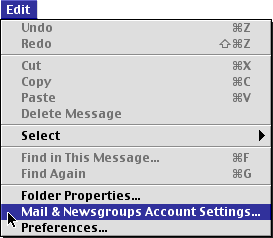
Then, select "Mail & Newsgroups Account Settings..." from the "Edit" menu. SMTP Server Setup
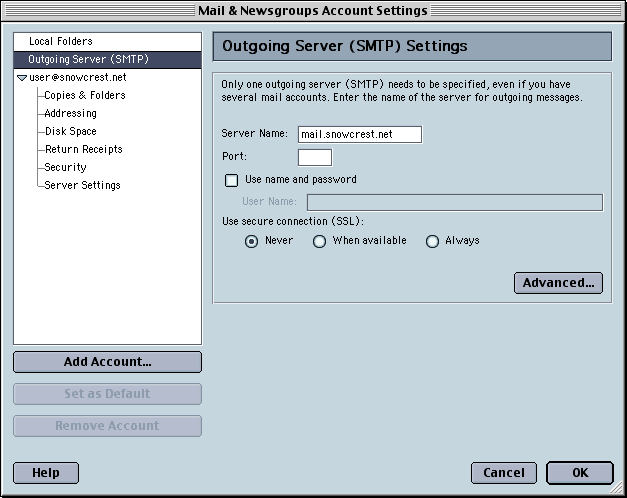
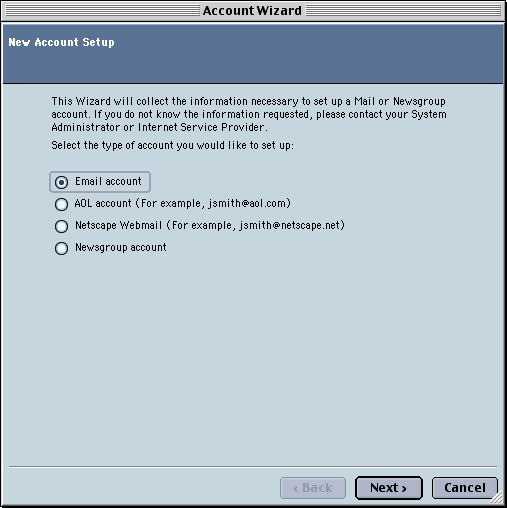
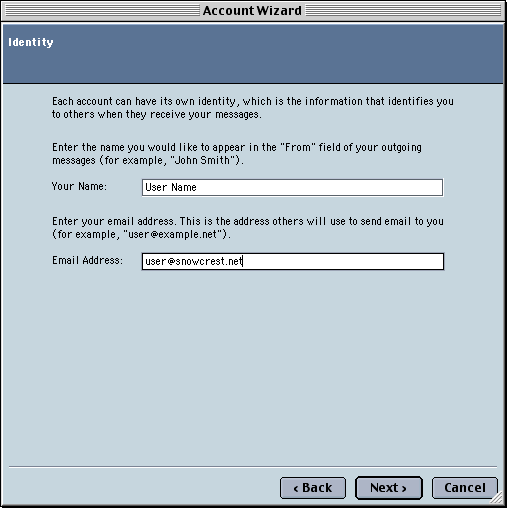
Click "Outgoing Server (SMTP)" in the white box on the left. Type "mail.snowcrest.net" in the "Server Name" box. To set up a new email account, click "Add Account". Identity
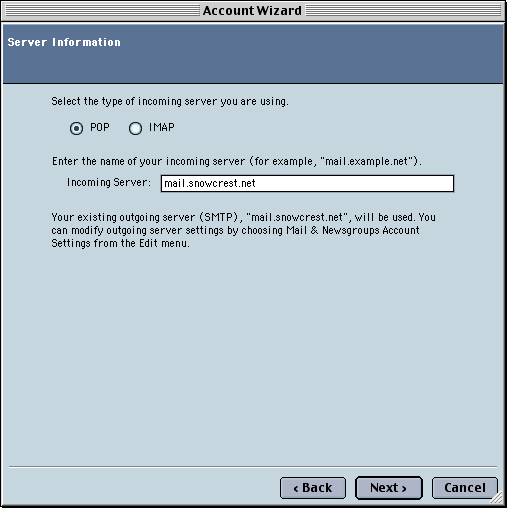
Click "Next". Server Information
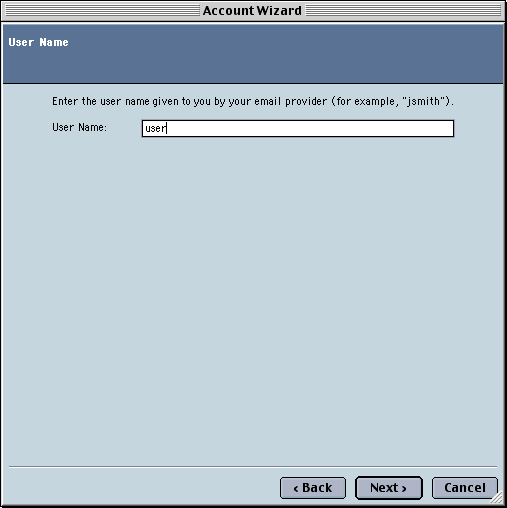
Click "Next". User Name
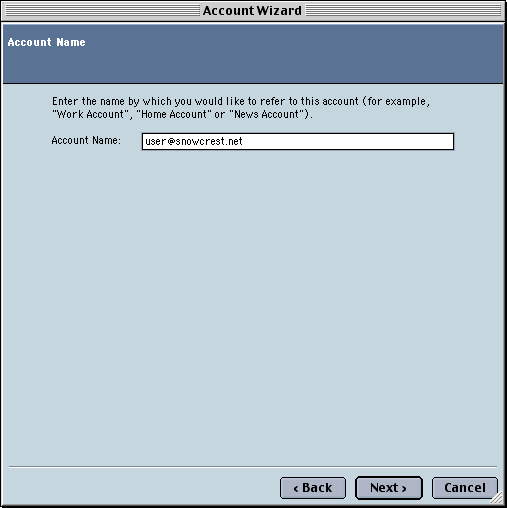
Type in your SnowCrest Email username in the "User Name" box. If your SnowCrest Email is "myname@snowcrest.net", you would only enter "myname" here. This box is case sensitive. Click "Next". Account Name
In the "Account Name" box, type a description to differentiate this account from others in Netscape & Mozilla. Click "Next". Account Name
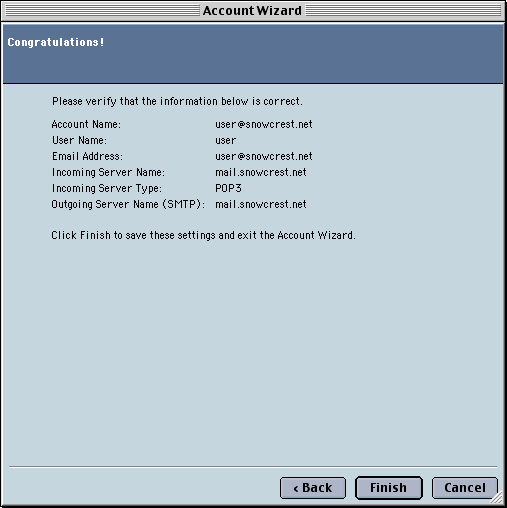
Verify that the information is correct. If it is, click "Finish", and you're done. Your computer is now configured to check Email. If you are still experiencing difficulties, please give our technicians a call at (530) 926-6888 or (530) 245-4698, or you can e-mail us at support@snowcrest.net. |
SnowCrest.net is © 1995-2026 SnowCrest Inc., all rights reserved. Please do not duplicate or copy any graphics, layout or code on this website. Do you have a question or comment for us? Contact us. View our terms and conditions, privacy policy, copyright policy, return/refund policy, and customer contracts. Usage of SnowCrest services constitues agreement to SnowCrest's terms and conditions. Read the Important Information Regarding California Relay Service and the Additional Information Regarding California Relay Service. This site has been validated for XHTML 1.0 Transitional and CSS 2.0.