|
SnowCrest Inc., P.O. Box 1379, Mt Shasta, CA 96067 (530) 926-6888 or (530) 245-4698
|

|
|
Windows XP Setup
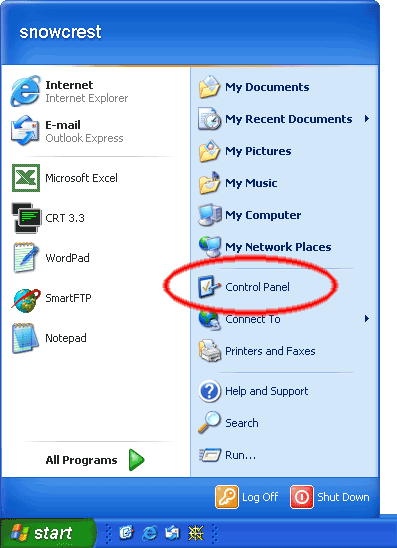
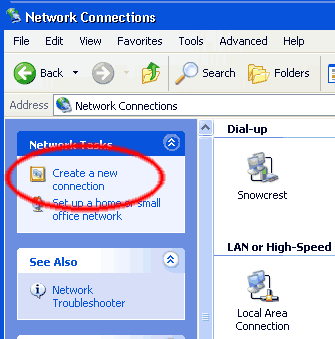
Click on "Start", then click "Control Panel".
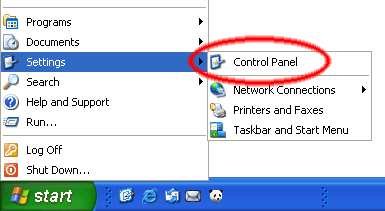
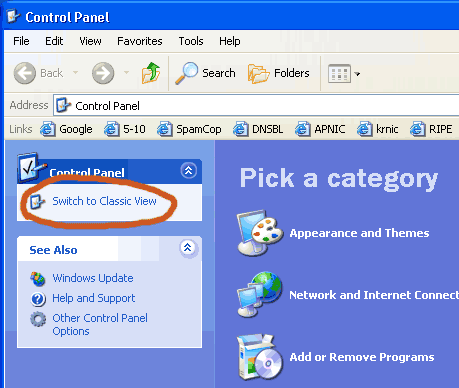
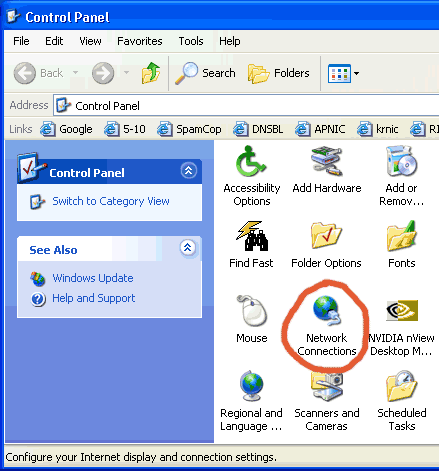
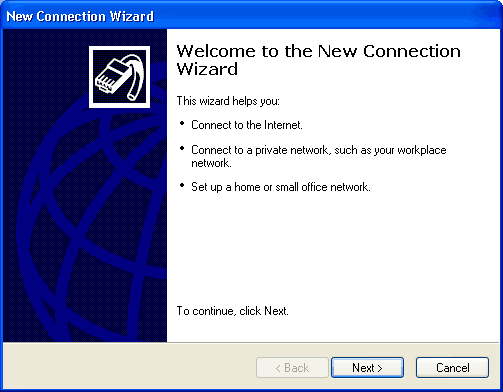
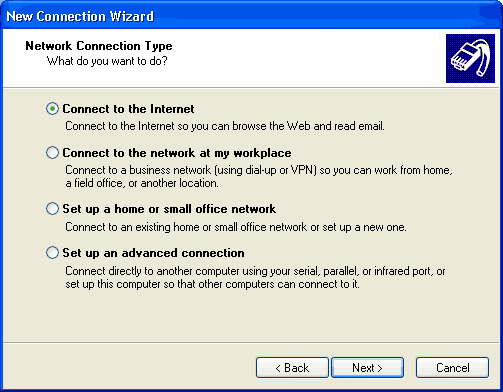
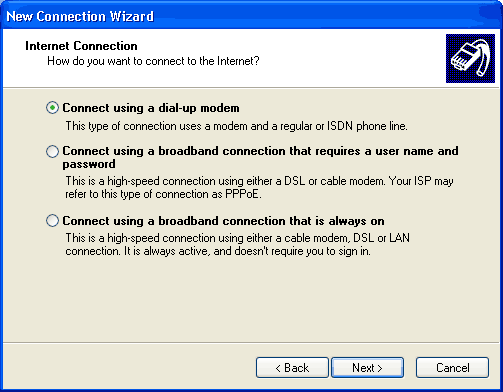
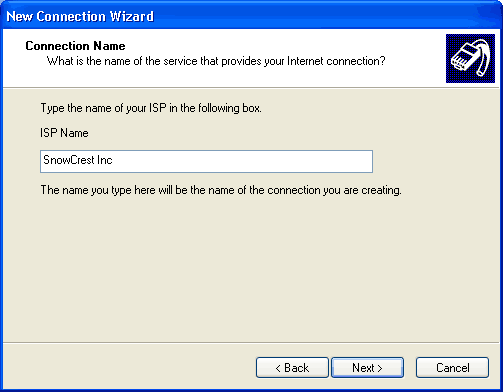
If you are in Classic mode, click on "Start", go up to "Settings", and click "Control Panel". Network Connection Type
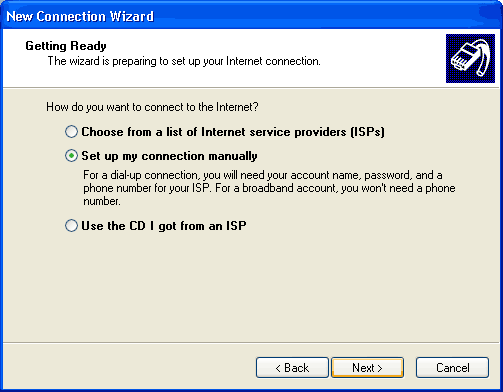
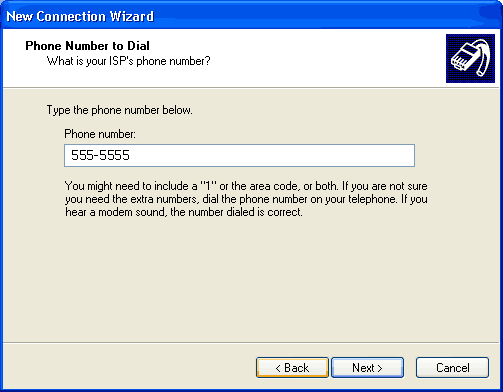
Type in your SnowCrest local access number in the "Phone Number" box. Remember that it is your responsibility to verify with your local telephone company that the SnowCrest access number is a local call for you. Then click "Next". Network Connection Type
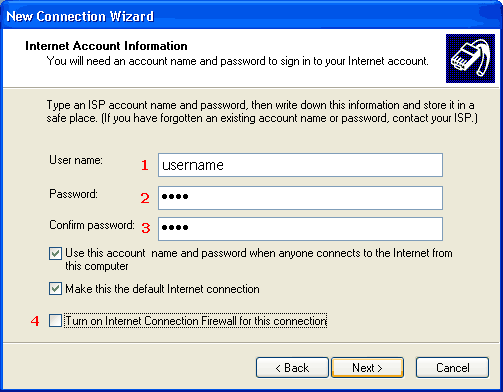
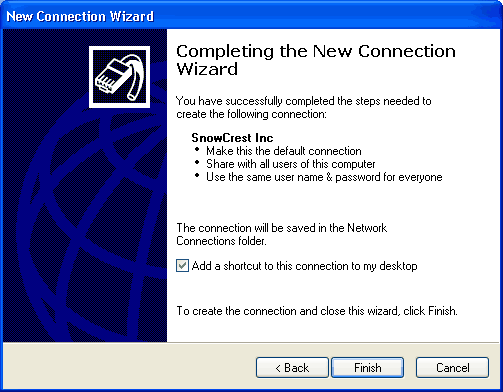
Then click "Next". Your computer is now configured to connect to SnowCrest. If you are still experiencing difficulties, please give our technicians a call at (530) 926-6888 or (530) 245-4698, or you can e-mail us at support@snowcrest.net. |
SnowCrest.net is © 1995-2026 SnowCrest Inc., all rights reserved. Please do not duplicate or copy any graphics, layout or code on this website. Do you have a question or comment for us? Contact us. View our terms and conditions, privacy policy, copyright policy, return/refund policy, and customer contracts. Usage of SnowCrest services constitues agreement to SnowCrest's terms and conditions. Read the Important Information Regarding California Relay Service and the Additional Information Regarding California Relay Service. This site has been validated for XHTML 1.0 Transitional and CSS 2.0.